1. Start your reading journal setup with one job
Before choosing a cover or a color scheme, decide what you want this journal to help you do. Perhaps you forget which books you have already tried, struggle to choose your next read, or want to remember why a particular story stayed with you. Write one sentence on a plain sheet, such as “Help me remember what I enjoyed and find another book when I am ready.” This sheet becomes page one. Add a simple index if you like, or leave the rest blank until the journal has enough entries to need one.
The remaining pages come from four existing resources: the reading tracker, book review template, TBR list, and favorite quotes journal. TBR means “to be read.” Print one of each to begin, giving you five physical pages including your own cover or index. The pages are undated, so you can start whenever you like and skip stretches without leaving a run of empty calendar spaces. A review or quotation page is a sample of a repeatable page, not a limit on how many books or passages you may record.
Arrange the sheets in the order you expect to use them: purpose, tracker, review, next-read list, and quotations. A folder keeps the experiment easy to rearrange; a binder makes it easier to add copies beside the original pages. If you prefer a bound notebook, attach the sheets only after testing the layout. You can write a flexible goal on the first page, such as making more time for stories, without turning it into a target you must meet.
2. Choose a paper size and print a test
Choose A4 or US Letter if you want more handwriting room, especially for reactions and quotations. A5 is easier to carry in a small journal or library bag, but the smaller writing spaces may make long titles and notes feel cramped. The four printables offer botanical, minimalist, and ink-saving styles. Botanical decoration may make the pages inviting; minimalist styling keeps the layout visually quiet; an ink-saving option is worth considering if conserving ink matters. Actual ink use and print quality depend on your printer and settings.
Download the existing pages from their resource links and check the selected paper size against the paper in your printer. Print a single test page before producing the full set. Look for clipped edges, readable text, and enough space for your handwriting; check the printer preview and scaling settings if the result does not fit. The printing guide can help you work through setup choices. Once the test is comfortable, print the other sheets and keep the first usable copy, even if it is not perfect.
If you want to print on both sides, consider which pages you will handle together. A tracker on one side and a TBR list on the other can be convenient for a slim folder, but you cannot view both at once without turning the sheet. Single-sided pages cost more paper but are easier to spread out during a review. Check whether writing shows through your chosen paper before committing to either approach.
3. Build a tracker you can skim
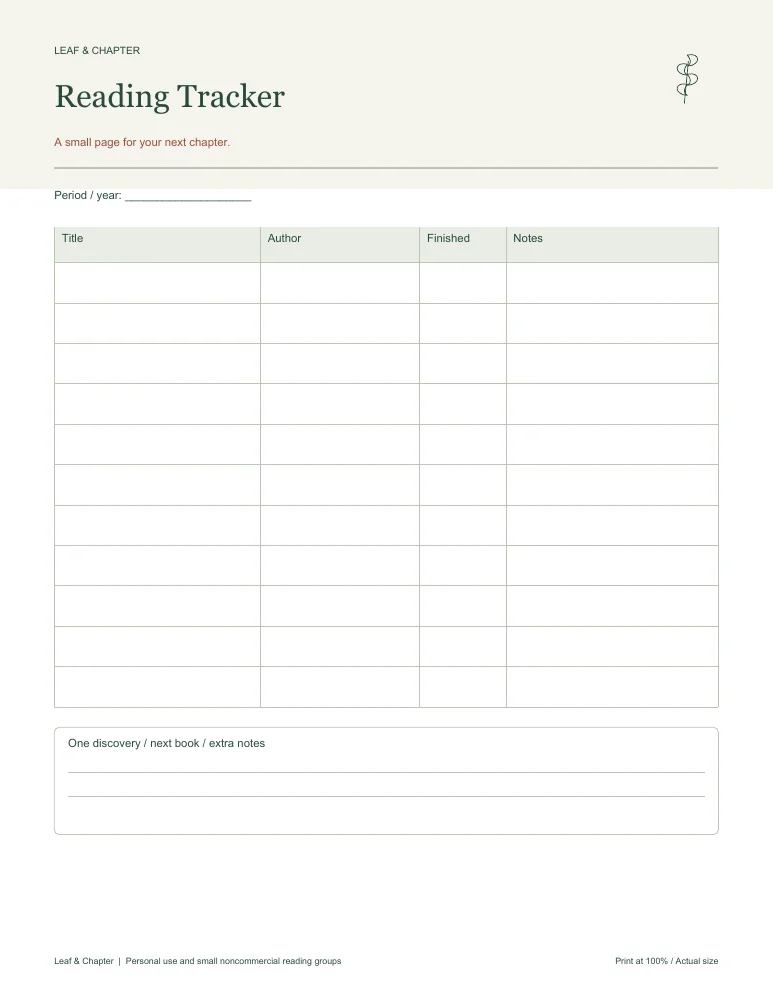
Place the reading tracker just behind your opening page. Its columns are title, author, finish date, and notes. Give each book one row and use the notes for a detail that will help you recognize your own response later: “absorbing setting,” “slow beginning,” or “recommend to a mystery reader.” There is no separate rating column, so add a rating in notes only if it is useful. A few descriptive words may tell you more than a score by itself.
Decide how you want to record books you pause or stop. One straightforward method is to enter the title and author, leave the finish date blank, and write “paused” or “stopped” in notes. If you return and finish later, add the date then. This keeps a start from looking like a finish and gives you permission to record an honest choice. Audio, ebooks, graphic novels, and rereads can sit alongside print books; note the format only if you want that information.
Keep longer thoughts on the review page instead of crowding a tracker row. For example, a short note about an atmospheric setting can point you back to a fuller review of how the setting affected the story. If the tracker starts feeling like a task list, use it only when you remember or only for books you want to record. Its job is to make your reading easier to recall, not to prove that you have read enough.
4. Keep reviews short enough to finish
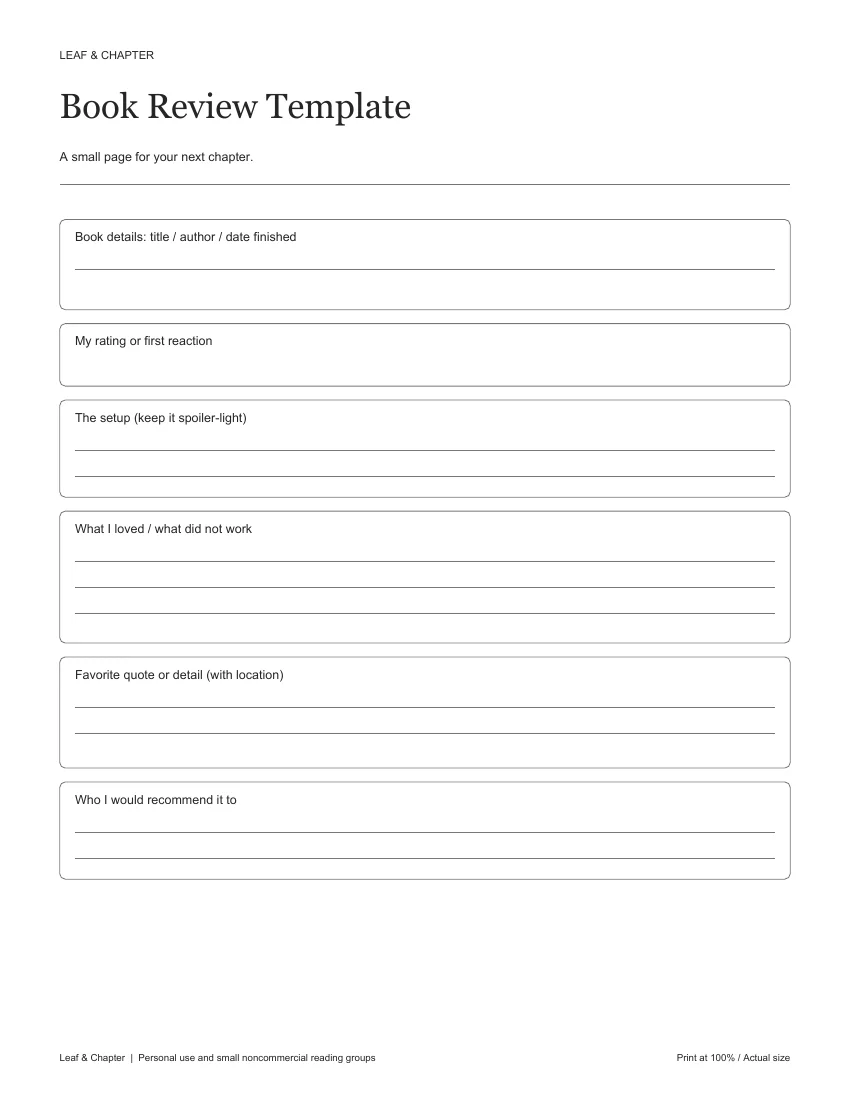
Use the book review template when a book gives you something you want to remember, not necessarily after every finish. The page separates book details, an optional rating, setup, reaction, quotation, and recommendation. Start with the details while the book is nearby. In setup, give yourself a sentence or two about the premise rather than a full plot summary. Then use reaction for the part only you can supply: what held your attention, surprised you, or did not work for you.
A manageable workflow is to choose two features and connect each to a specific observation. For an imagined village mystery, you might note that shifting relationships kept the investigation interesting while repeated conversations slowed the middle. In recommendation, identify a reader who might appreciate the pace rather than declaring that everyone should read it. If you might show the page to someone else, mark any ending details as spoilers or leave them out.
The quotation space can stay blank when no line feels necessary, just as the rating can stay blank if you do not use stars. You can also review an unfinished book: say where you stopped and describe only the portion you read. Once the page is complete enough to bring back your experience, file it behind the tracker or in a separate section. A brief, specific review is more useful to your future self than an ambitious one you never want to start.
5. Make a small next-read list
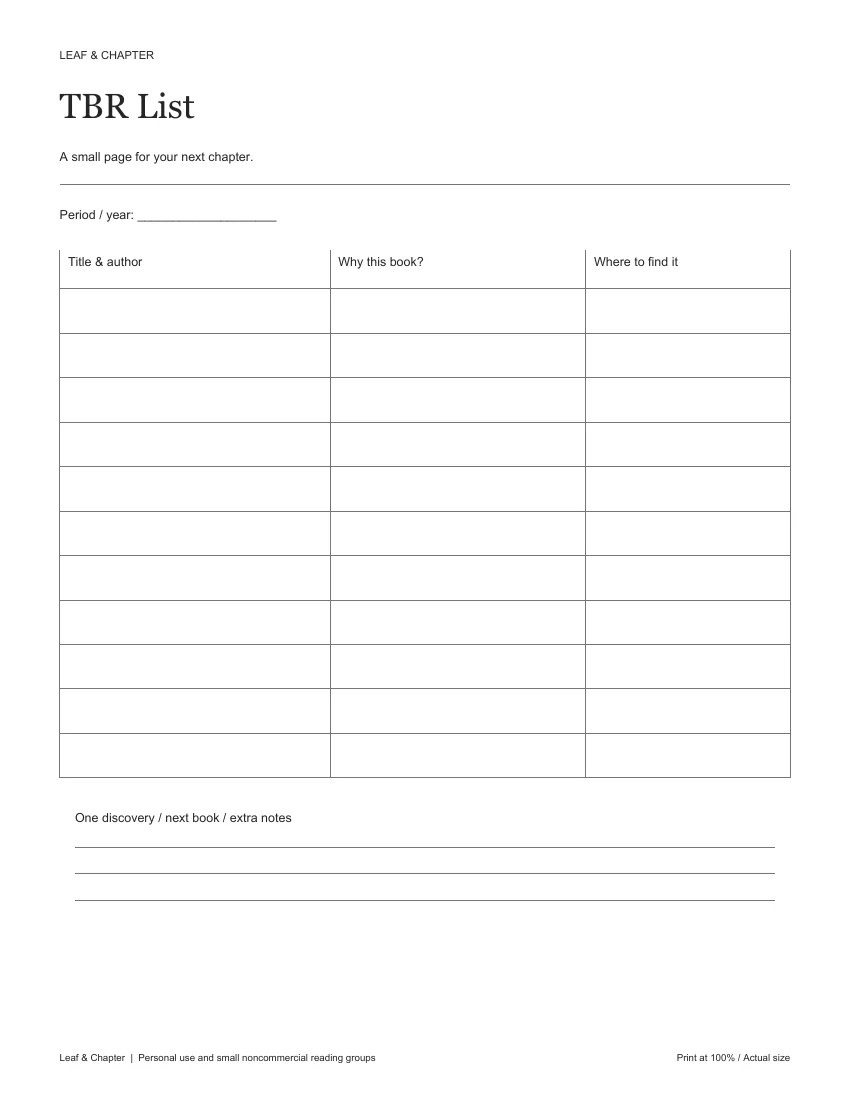
The TBR list has fields for title, author, why, and where. Use “why” to preserve the spark of interest: perhaps a friend mentioned the humor, or the subject connects with a question you have been considering. Use “where” for a likely source, such as your own shelf or a library catalogue you plan to check. A place to check is not the same as a confirmed available copy, so update the note when you know more.
For a practical next-read menu, circle three entries with different appeals. You might choose a familiar mystery from your shelf, an essay collection to check at the library, and a novel recommended for its family dialogue. When you are ready for another book, compare your present mood with those short reasons. You can pick one, read something entirely different, or wait. The circles narrow the choice without creating a fixed sequence.
When you finish a TBR title, mark it read and enter the details on your tracker if you want a record there. If you try it and stop, note that instead so it does not keep appearing to be an untested option. Cross out recommendations that no longer interest you rather than copying them onto a fresh page out of obligation. A photograph of the list can be handy on a library visit, but the paper copy can remain the place where you make changes.
6. Store quotations with their source
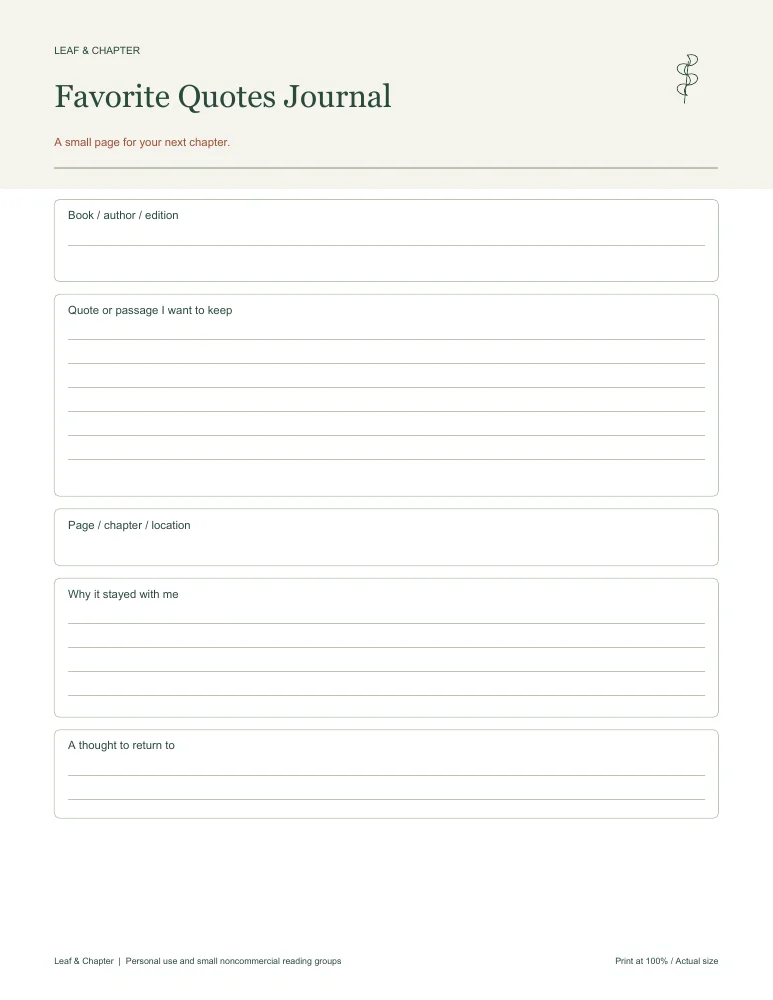
The favorite quotes journal gives a memorable passage a place to live alongside its book and edition, location, your reason for choosing it, and a next thought. Start with the source while you have it in hand. A page number can be useful for a print edition; a chapter or ebook location can help when pages differ or are unavailable. Record enough information to find the passage again, including the author with the book details.
Copy a brief passage only after checking the wording against the source. Add the speaker or situation when it affects the meaning: a character speaking during an argument is not necessarily expressing the author’s view. In the “why” space, explain your reaction; in “next thought,” leave yourself a question or a possible disagreement. You do not need to resolve the question. If you remember an idea but cannot verify the wording, label it as a paraphrase rather than placing it in quotation marks.
You can leave the quotation page blank until something genuinely catches your attention. If you already used the quotation space on a review, there is no need to copy the same line again unless you want the extra context and reflection here. Keep private collecting distinct from public sharing, and check permissions appropriate to any intended public use. As the section grows, keep entries in the order you found them before deciding whether tags or an index would help.
7. Review and simplify after a month
About a month after assembling the pages, look through them without treating blank space as a problem. Ask which sheet helped you make a choice, remember a book, or enjoy a passage again. Perhaps the tracker is useful but the review feels too detailed; try writing only a reaction and recommendation next time. Perhaps the TBR list has become crowded; keep a few current possibilities visible and set older suggestions aside. You can also leave the setup untouched for another month if you have not used it enough to decide.
Adjust the physical arrangement as well as the writing. Move the next-read list to the front if you consult it at the library, or keep a fresh review page beside the book you are reading. Print another copy of a page only when you need one. If A5 feels cramped, try a larger review sheet while keeping a smaller TBR page for carrying. A mixed-size folder may be less tidy than matching pages, but it can suit different jobs better.
Revisit the purpose on your first sheet and revise it if your interests have changed. A goal can be as open as noticing what you enjoy, returning to reading when you feel like it, or keeping a few recommendations close at hand. There is no penalty for an empty month, an unfinished book, or a journal that becomes simpler. The five pages are a starting arrangement, and removing a step can be just as useful as adding one.
A small checklist before you begin
- Write one sentence describing what you want the journal to help you do on a plain cover or index page.
- Choose a paper size and style, then print one test page and check its edges, readability, and writing space.
- Print one copy each of the existing tracker, review, TBR, and quotation pages, and arrange them behind your first sheet.
- Enter one book on the tracker, leaving the finish date empty if you have not finished it.
- Add a few possible next reads to the TBR list with a reason for interest and a likely place to find each one.
- After about a month, move, simplify, or remove any page that is not helping, and print replacement copies only as needed.
Choose the version that fits your day
| Option | Works well for | Keep in mind |
|---|---|---|
| Loose pages in a folder | Trying the five-page setup without committing to a permanent order. | Sheets can slip out or become difficult to find if the folder fills. |
| Binder | Adding review and quotation pages beside earlier entries and rearranging sections. | Its bulk may make it less convenient to carry to the library. |
| Pages attached inside a notebook | Keeping the printables with handwritten notes in one place. | Test the arrangement first because attached pages are harder to reorder and may add thickness. |
| Mixed-size pages | Keeping a portable TBR list while giving reviews more writing room. | Different paper sizes may need a folder or binder that holds them securely. |
The free pages used in this guide
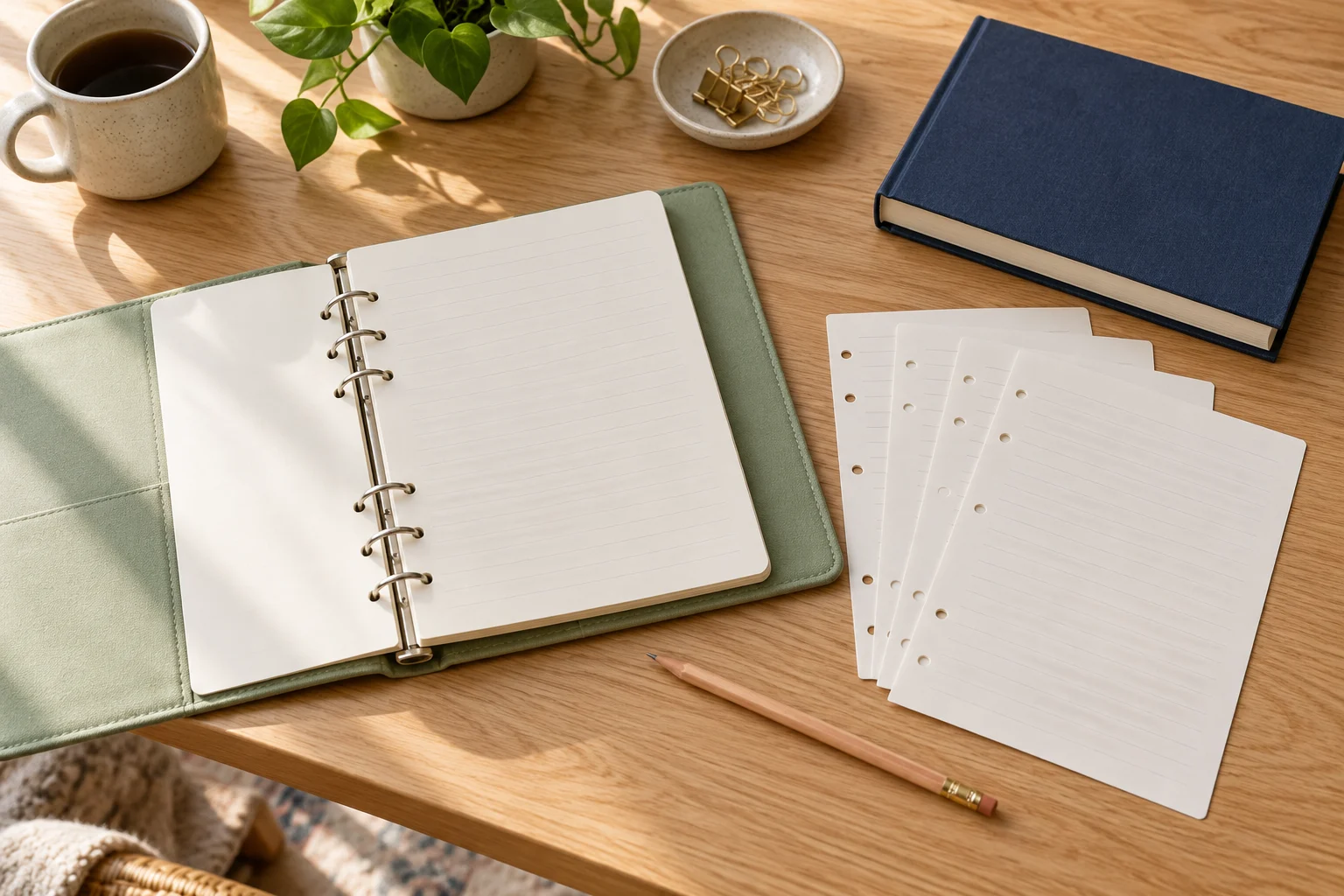
These are existing, undated resources. Open a resource page to choose its PDF, style and paper size; the lifestyle photograph above is an illustration.
For more ways to make the pages work together, explore the reading journal kit. If you want to refine a specific part of this setup, return to the reading tracker printable or the book review template.
A few useful questions
Why are there five pages when there are only four printable resources?
The first page is a plain cover or index that you make yourself. The other four are existing undated printables: a tracker, a review, a TBR list, and a quotation page.
Should I make a review page for every book on my tracker?
No. The tracker can hold a short note for any book you want to record. Use a review page when you have a reaction worth exploring or expect to want more detail later.
What if I want to record a quotation but cannot find its exact wording?
Write the idea as a clearly labeled paraphrase and record the source information you know. Add quotation marks only after checking the wording against the book, and include a location that will help you find it again.
Is a binder better than a notebook?
A binder makes it easier to reorder pages and add another review beside an earlier entry. A notebook is simpler to carry but attached sheets can add bulk. Try the loose pages in a folder first if you are unsure which arrangement you will use.