1. Compare reading journal styles by how you use the page
Start with the action you want the page to support. A reading tracker gives you a list to scan, a review gives one book more room, a wrap-up helps you look back over a month, and a bookmark stays with a current book. All four existing resources come in botanical, minimalist, and ink-saving styles, so you can choose the appearance separately from the job.
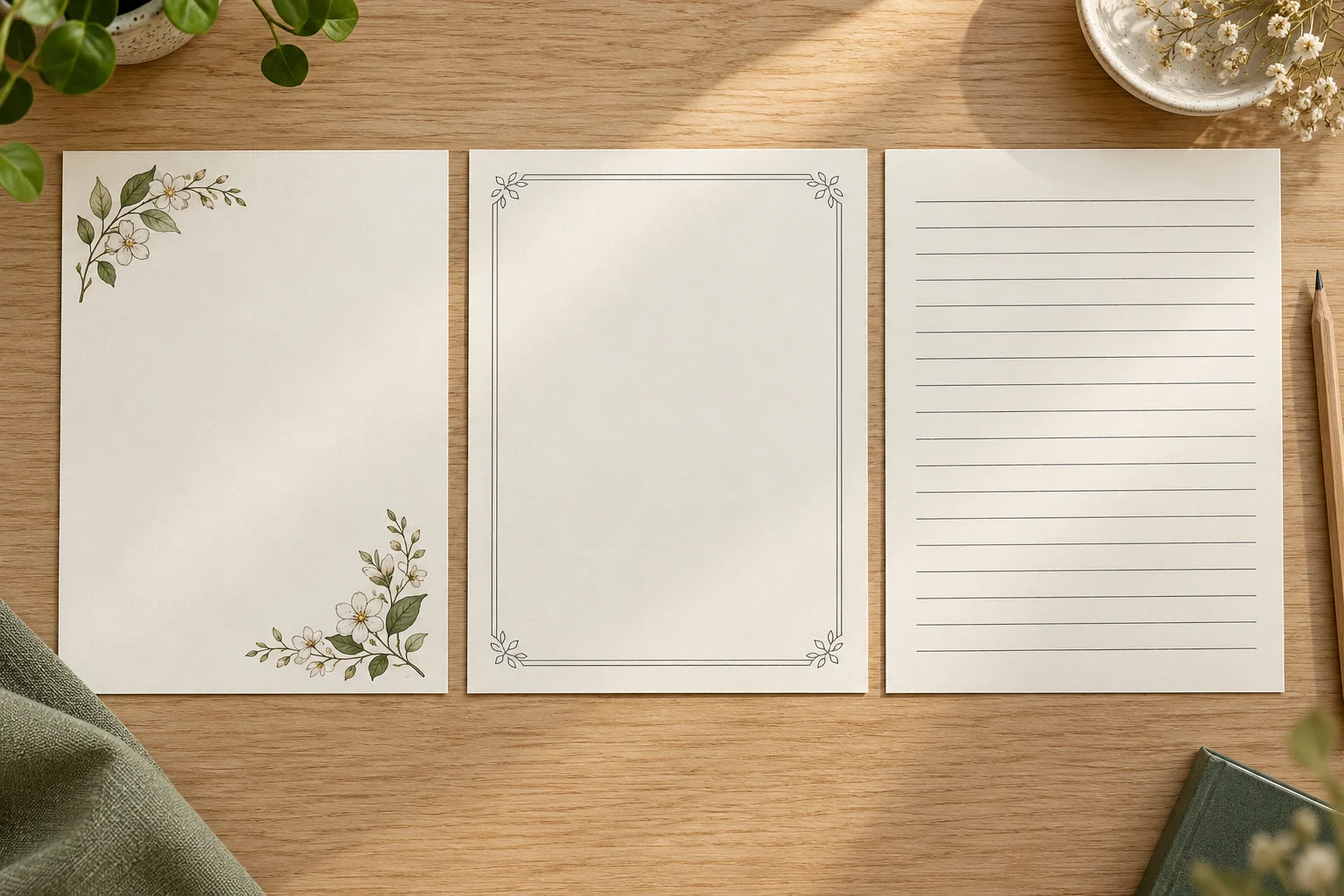
Botanical styling can make opening a journal feel like a small occasion if you enjoy decorative details. Minimalist styling suits a reader who wants fewer visual distractions, while ink-saving is a practical starting point when you expect to print regularly. These are preferences, not quality rankings: a decorative page may be easy for you to use, and a spare page may feel too plain.
Open the linked resource pages to choose from the existing undated printables.
2. Test botanical details at your printer
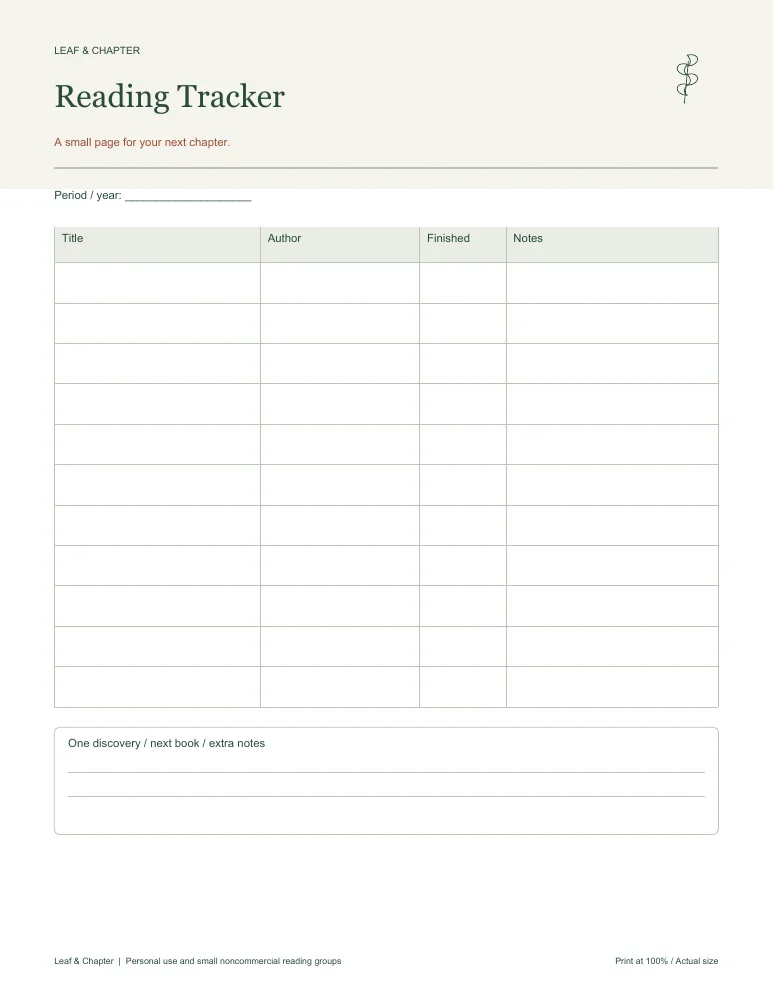
Choose botanical when the decorative look makes you want to keep the page nearby, but judge it on paper as well as on screen. Print one reading tracker in your intended size and normal settings. Check whether its decorative details remain distinct from the writing areas and whether the title, author, finish date, and notes columns are easy to find.
Try a typical entry rather than a perfect one. Write a long title and a short reaction; leave the finish date empty if the book is paused, and note that status in the notes column. If you need more space to explain your response, use a separate review rather than crowding the tracker. The tracker has no separate rating column, though you can add a rating in notes if useful.
Compare the test with the screen preview before deciding whether to print more. Ink use and print quality depend on the printer and settings, so the appearance and cost of decorative details will vary. If the design feels busy after handwriting is added, keep the botanical sheet for a cover-facing page or occasional entry and use a quieter style elsewhere.
3. Choose minimalist pages for visual quiet
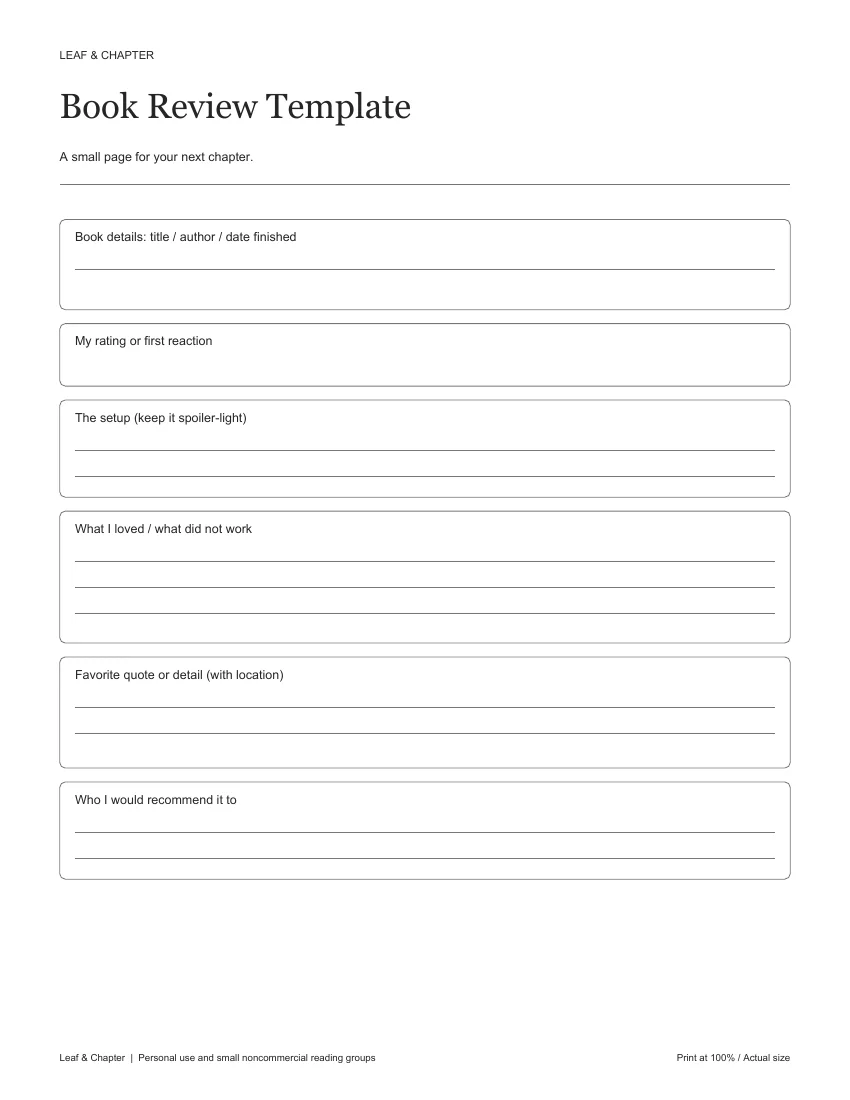
A minimalist layout can help the words you add become the main event. It is a good choice for a book review template when you prefer to focus on the distinction between the book's setup and your own reaction. Record the book details, give the setup a couple of sentences, and use the reaction space for what shaped your experience.
For example, describe how the pacing affected your interest and how a character's choices changed your impression. Use the recommendation space to name a reader who might enjoy that combination, rather than declaring the book right for everyone. A rating and quotation are optional; an empty quotation space is more useful than a line copied merely to fill it.
The tradeoff is that visual quiet may feel less inviting if decoration is part of your journaling pleasure. Add a small handwritten heading or keep one botanical page alongside it, but avoid adding so much that the writing areas become harder to use. Minimalism is a tool for attention, not a rule about how a journal should look.
4. Use ink-saving pages for frequent printing
If you regularly print a fresh page, start by testing the ink-saving version. It is designed for that preference, although actual ink use still depends on your printer and its settings. Compare a single sheet with another style under the settings you actually plan to use; a screen preview cannot tell you exactly how either will print at home.
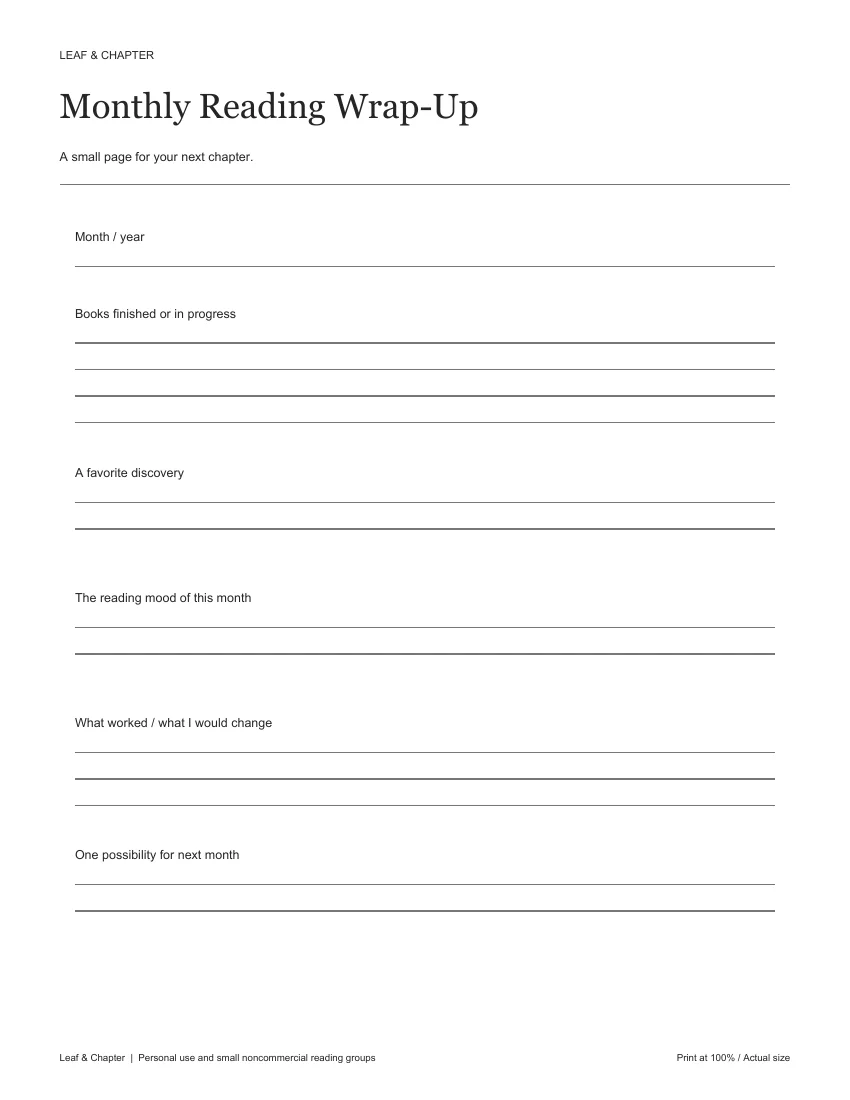
The monthly reading wrap-up is a useful repeat page because its fields invite reflection without requiring a detailed daily record. Enter the month and finished books first, then add a favorite, the reading mood, and what worked. Leave the finished-books field blank if nothing was finished, and use the other spaces to describe a pause or a reading choice instead.
Finish with one possibility in the next field, such as continuing a borrowed essay collection or looking for another book with short chapters. There is no need to turn that possibility into a target. If the ink-saving print is too faint to read comfortably, adjust your settings or choose another style; saving ink is not helpful if you cannot use the page.
5. Pick A4 Letter or A5 before printing
Choose the size for the place where the page will live. A4 or US Letter gives handwriting more room and works well in a full-size folder. A5 is convenient in a smaller journal or bag, but reduced writing space can make long titles and detailed reactions awkward. The four linked resources offer these size choices, so select the appropriate version before opening the print dialog.
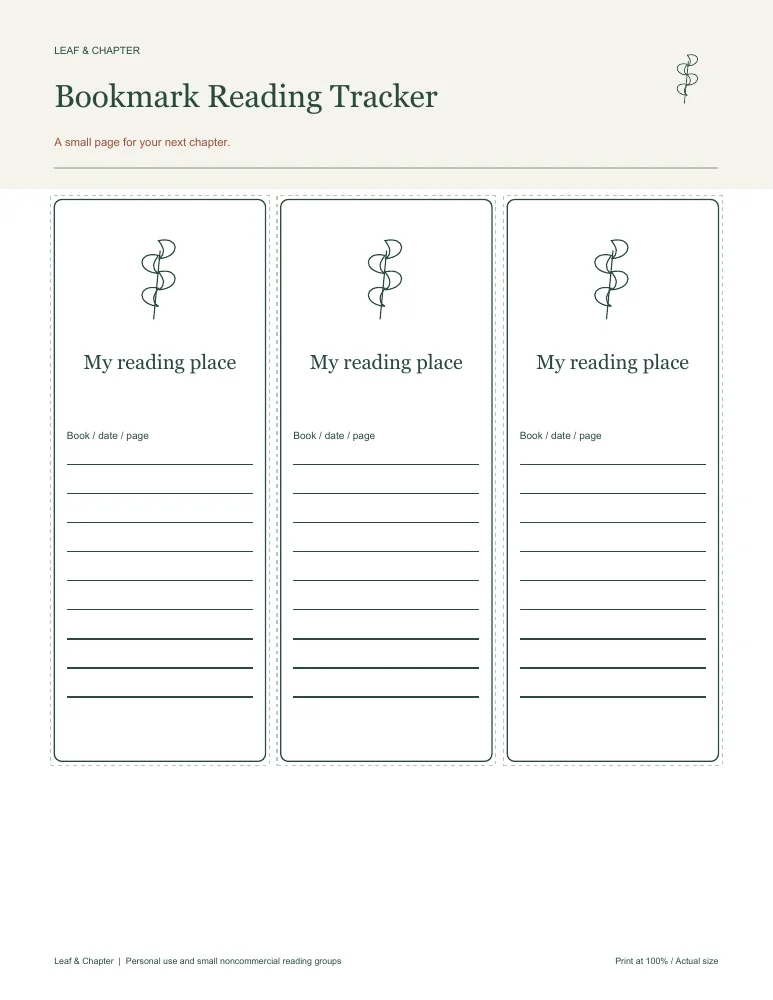
Match the paper-size setting to the paper in the printer, and check the preview for cut-off edges or unexpected scaling. For the bookmark reading tracker, each sheet contains three bookmarks to print and cut. Make sure the preview leaves the bookmarks intact, then test whether the compact spaces suit your handwriting.
If you are unsure, print just one sheet and place it in the intended binder, notebook, or book before committing to a set. A larger page may be easier for reflection, while a smaller bookmark is easier to carry. For more help with the print dialog and paper choices, see the printing guide.
6. Check handwriting room and contrast
A successful test is more than a page that fits the paper. Write with the pen or pencil you normally use, then read the entry in your usual light. Check whether printed text is clear, whether your writing stands apart from the page, and whether you can comfortably distinguish one field from another. What looks restrained on screen may be too faint on a particular printer.
Use representative entries: a long title in the tracker, two observations in the review reaction, and a date plus page reference on the bookmark. For the bookmark, decide whether each entry records the page reached or a start-to-end range, and keep that convention consistent within the book. If you use chapters or listening time instead, note the method so you understand it later.
Do not solve cramped writing by making every entry tiny. Try A4 or Letter for the review, shorten a tracker note to a reminder, or give a longer reflection its own page. Likewise, leave fields blank when they do not apply. A legible, partly empty journal will be more useful to return to than a crowded page you avoid.
7. Build a mixed set without reprinting everything
Begin with what you already have. Keep a completed botanical tracker, add a minimalist review when a book deserves more thought, and use an ink-saving wrap-up at month's end. Styles do not need to match for the information to work together. Arrange the pages by date or by resource type, whichever makes the entry you want easiest to find.
Try this small workflow: keep a bookmark in your current book and record a date and page reference when useful. When you finish or pause, add the title and author to the tracker, leaving the finish date blank for a paused book. Write a review only if you have something you want to remember, then use the wrap-up to notice what worked and choose one optional next step.
Reprint only the page you need when you need it. If a test sheet is readable but not your favorite, use it for a draft or keep it as a reference rather than replacing it automatically. Over time, your set can reflect actual habits: perhaps roomy reviews, compact bookmarks, and a monthly page only when reflection feels useful.
A small checklist before you begin
- Choose one job to start with: tracking books, reviewing one, reflecting on a month, or recording reading sessions.
- Open the corresponding existing resource and select a botanical, minimalist, or ink-saving version.
- Choose A4, US Letter, or A5 to fit the paper and storage place you already use.
- Print one test sheet with your intended printer settings and check the preview for scaling or cut-off edges.
- Write a realistic sample entry, then check the available space, contrast, and legibility in your usual light.
- Keep usable pages, leave irrelevant fields blank, and print additional styles or sheets only as needed.
Choose the version that fits your day
| Option | Works well for | Keep in mind |
|---|---|---|
| Botanical | Readers who enjoy decorative details and want a page that feels inviting to open. | Test whether the details remain clear and leave the writing areas comfortable on your printer. |
| Minimalist | Readers who prefer visual quiet and want handwritten notes to take focus. | A spare appearance may feel less motivating if decoration is part of your enjoyment. |
| Ink-saving | Readers who expect to print recurring pages and want to prioritize economical styling. | Actual ink use and print quality depend on the printer and settings; check that the page remains legible. |
| Mixed set | Readers who want different looks for different tasks or already have usable pages in several styles. | Use a simple filing order so a varied appearance does not make entries difficult to find. |
The free pages used in this guide
These are existing, undated resources. Open a resource page to choose its PDF, style and paper size; the lifestyle photograph above is an illustration.
Start with the reading tracker for a flexible book list, add the book review template when you want to remember a fuller reaction, and use the monthly reading wrap-up to connect those notes with what worked for you.
A few useful questions
Do the tracker styles change what I can record?
The botanical, minimalist, and ink-saving reading trackers use the same basic columns: title, author, finish date, and notes. Choose the appearance you prefer, and use a separate review page when a reaction needs more room.
Should I print the whole journal before I start?
No. A single test page lets you check size, contrast, and handwriting space first. Start with the resource that supports your immediate task, then add pages as you discover what you use.
Can I use the bookmark tracker for an ebook or audiobook?
Yes. Instead of print page numbers, record a consistent unit such as chapters, ebook percentages, or listening time. Keep the bookmark somewhere convenient and note which unit you chose.
What if my journal includes a month with no finished books?
Leave the finished-books field blank. You can still record the month's mood, what worked, a book you paused, or a possible next choice. The page is a reflection, not a test of a reading goal.